Update Client
Below are the required updates and how to apply them.
If you have a freshly installed client, or are about to install the client, you do NOT need to follow the steps below.
February 24, 2026 Update
This update updates existing mod versions and the Fabric Loader version, and adds new mods.
Recommended Update Method:
First, follow the Client Installation Tutorial for General Users to install a new version and obtain the new files that need to be installed.
After installing the version, there's no need to launch the game. You can proceed directly with the steps below. The steps below should be adapted to your actual situation — different people have different files in their version folders, but the required files will all be there.
But be careful NOT to delete the original version, because after updating in the following way, you will still select the original version to continue playing.
The following steps use Windows as an example. The same steps apply to Linux, macOS, Android, and other systems.
Open two folders: the version folder of the original version and the version folder of the newly installed version.
Where is the version folder?
On PC:
[your game directory]\.minecraft\versions\[your game version name].On mobile:
FCL/.minecraft/versions/[your game version name].Also, launchers like PCL2 have a button called
Version Settingson the homepage, which includes a shortcut to open the version folder.
Make sure the following steps are performed accurately!
The images below will clearly describe how to proceed.
The left half of each image shows the version folder of the newly installed version, and the right half shows the version folder of the original version.
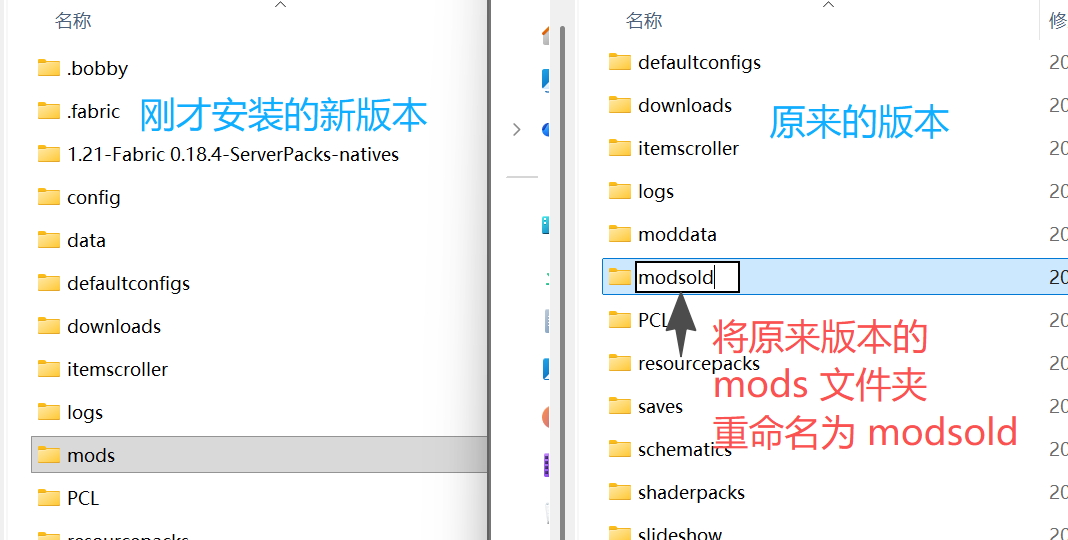
First, look at the version folder of the original version. You'll find a folder called mods inside. Rename this folder to modsold.
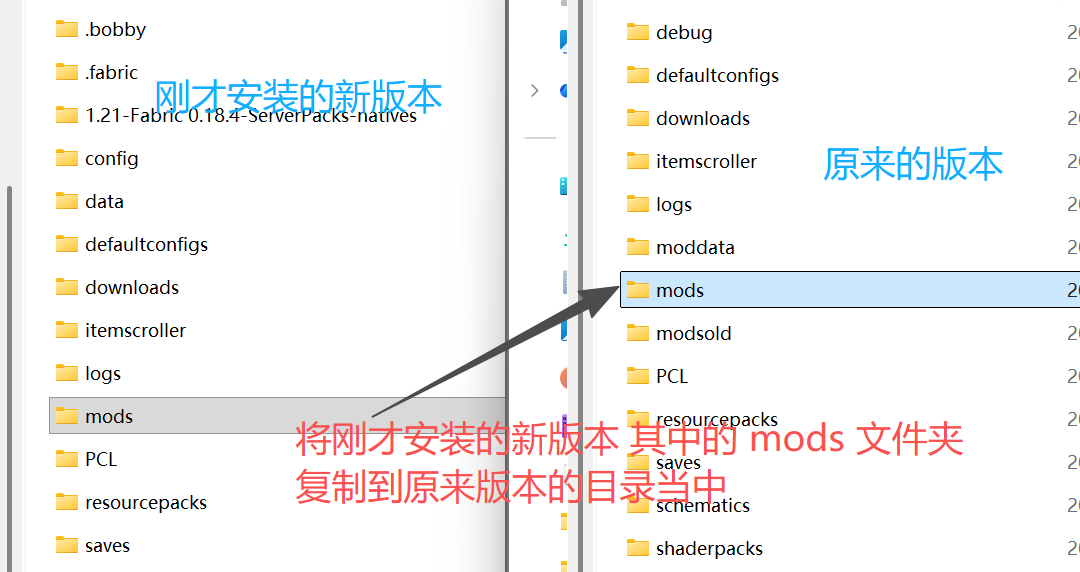
Then copy the mods folder from the version folder of the newly installed version into the version folder of the original version.
Next, you need to download one more file and place it in the mods folder of the original version — click here to download fabric-loader-0.18.4.jar.
After downloading, just drop it in.
At this point, the client update is essentially complete. All your shaders, worlds, and settings are preserved. However, if you had any additional mods installed, you'll need to reinstall them. Your mod settings will be retained.